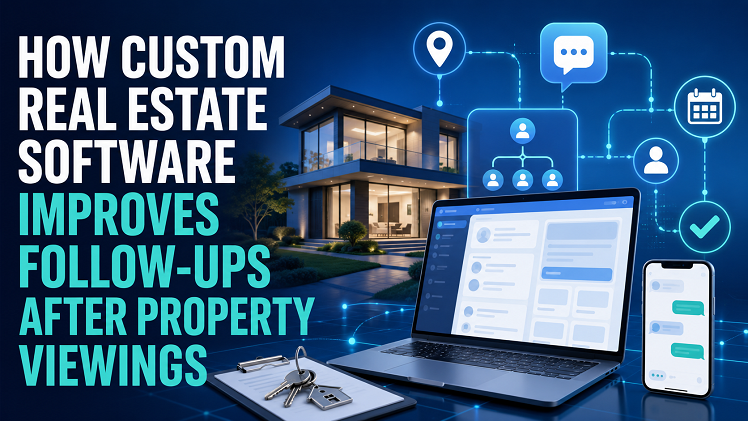
Property viewings create a short window of interest. If the agent loses notes, delays the next message, or sends the wrong property details, a warm lead turns into a cold CRM record.
Why Follow-Ups After Viewings Lose Quality
Follow-ups lose quality when agents rely on memory, inbox threads, shared spreadsheets, and rushed voice notes after several appointments. For agencies reviewing custom CRM options, teams may look at this company while mapping viewing notes, reminder workflows, offer status, and communication records into one operating process.
The main issue is fragmented information. One agent remembers the buyer’s budget, another holds the viewing feedback, and the office coordinator receives the document request. Without one record, the next message feels late, incomplete, or unrelated to the client’s actual interest.
Viewing Data Agents Need to Record
Viewing data needs structure because every appointment produces signals about budget, urgency, objections, and next steps.
Buyer Preferences
Buyer preferences include preferred location, bedroom count, garden needs, parking, commute time, school catchment, accessibility, and preferred property style. These details help agents send relevant property alerts instead of broad listing batches.
Viewing Notes
Viewing notes need to be recorded while the appointment is still fresh. Good notes capture emotional reaction, objections, questions, decision-maker names, and whether the client wants a second viewing.
A useful viewing record includes data that supports the next action:
- Reason the client booked the viewing.
- Main objection raised at the property.
- Preferred follow-up channel after the visit.
- Documents requested during the appointment.
- Next action agreed with the agent.
Lead Readiness
Lead readiness shows how close the client is to action. A buyer who asks about offer deadlines, mortgage documents, survey timing, or chain status needs a different response from someone browsing casually.
Lead scoring helps teams rank follow-ups by urgency. A viewing with strong interest, a confirmed budget, and a document request deserves faster handling than a viewing with no decision timeline.
How Software Improves Follow-Up Timing
Timing improves when tasks, reminders, and communication rules sit inside the workflow. The system moves the follow-up from personal memory into a tracked sales process.
Reminder Workflows
Reminder workflows assign tasks after each viewing. The workflow might create a same-day thank-you email, a next-day call task, and a three-day property alert if the client has not responded. The reminder also needs ownership. If the original agent is away, the task moves to another team member with the viewing notes attached, rather than sitting unseen in one inbox.
Calendar Sync
Calendar sync helps agents connect viewings with follow-up blocks. After a viewing ends, the system records attendance, updates the client profile, and adds the next contact task to the agent’s calendar.
This matters for busy branches. Ten viewings in one afternoon create too much detail for manual tracking, especially when several clients request brochures, EPC details, floorplans, or offer guidance.
Property Alerts
Property alerts work better when they use viewing feedback. A client who rejected one flat because of noise needs new suggestions filtered by location, floor level, outdoor space, and street type.
Custom alerts also prevent irrelevant messages. The system excludes properties already rejected, flags price changes on saved homes, and notifies the agent when a close match enters the pipeline.
How CRM and Communication Tools Support Client Handling
CRM and communication tools keep client handling consistent across agents, negotiators, managers, and administrators. The client sees one joined-up service instead of disconnected messages.
Email Templates
Email templates help agents respond faster while keeping each message tied to the viewing. Templates can include property address, viewing date, next steps, requested documents, and a direct contact route. Templates still need personal fields. A follow-up that references the client’s exact concern about parking or renovation cost feels more relevant than a standard thank-you note.
SMS Updates
SMS updates suit short, time-sensitive messages. They work well for viewing confirmations, appointment changes, missing documents, second-viewing reminders, and offer-status updates.
The table shows how different messages fit different client moments:
| Client Moment | Best Message Type | CRM Trigger |
| Viewing booked | SMS confirmation | Appointment created |
| Viewing completed | Email summary | Agent submits notes |
| Documents needed | Email checklist | Offer stage opened |
| New match found | Property alert | Saved criteria matched |
Sales Pipeline
The sales pipeline turns viewing activity into measurable stages. A lead may move from enquiry to booked viewing, attended viewing, second viewing, offer discussion, document request, and offer status. Managers gain better visibility from this structure. They see which properties attract viewings, which agents follow up on time, and which leads stall after the first appointment.
A Better Follow-Up System

Better follow-ups come from shared records, timed tasks, accurate preferences, and communication tools connected to the sales pipeline. Custom real estate software helps teams move beyond memory-based follow-up and keep each viewing linked to the next action.
The strongest setup gives agents one place for notes, alerts, reminders, document requests, lead scoring, and offer status. Clients receive more relevant messages, while managers see where viewings turn into progress and where the process needs attention.